Dust around office equipment often returns just a few days after a workspace has been cleaned. It gathers behind monitors, along printer vents, beneath desk phones, around docking stations and in the narrow gaps where cables meet the desk. These areas can be easy to miss because they are partly hidden or occupied by equipment that rarely gets moved.
The problem is not always a lack of cleaning. Paper handling, foot traffic, fabric furniture, incoming outdoor air and everyday movement can all contribute to dust settling around workstations. Equipment also creates small spaces where particles collect and remain undisturbed until someone wipes the surface or moves the device.
For office managers, the practical goal is not to eliminate every dust particle. It is to control where dust accumulates, remove it without damaging equipment, and create a routine that keeps workstations presentable between cleaning visits.
This guide explains how to identify common dust-collection points, clean around sensitive office equipment safely, and decide how often different areas should receive attention.
Why Does Dust Collect Around Office Equipment?
Dust in an office is a mixture of particles rather than one single material. Depending on the building and its activities, it can include textile fibres, paper particles, skin flakes, outdoor soil and other fine debris.
Several everyday conditions can influence where it settles.
1. Paper handling and printing
Printers, photocopiers and document-handling areas can accumulate loose paper particles alongside ordinary room dust. Frequently used printing stations may need more attention than a workstation used mainly for digital tasks.
Look beyond the top of the printer. Dust can collect around paper trays, external panels, storage shelves and the surrounding desk or cabinet.
2. Air movement around desks
Air conditioning, fans, open doors and regular movement through the office can carry particles from one area to another. Dust may settle along monitor stands, cable channels, window-side desks and other surfaces where air movement changes.
If the same area becomes dusty unusually quickly, consider whether the source is nearby. A dusty supply vent, an entrance close to the workstation or a frequently used storage area may need attention alongside the equipment itself.
3. Gaps, cables and equipment stands
A monitor stand, docking station or group of power cables can create narrow spaces that are awkward to wipe. These spaces may collect dust because routine surface cleaning does not reach them.
Moving equipment without a plan can also disturb the dust and spread it across the desk. A consistent method is more useful than repeatedly wiping only the visible parts.
4. Fabric chairs, curtains and soft furnishings
Office chairs, upholstered partitions and curtains can hold fibres and settled particles. Normal movement may disturb some of this material, allowing it to settle on nearby desks and devices.
When equipment becomes dusty soon after cleaning, look at the surrounding furniture and floor as well. Cleaning the device alone may not address the nearby source.
5. Infrequently cleaned surfaces
The tops of monitors, the rear of printers, shelf edges and spaces beneath desks are often outside the normal line of sight. Dust can accumulate there until equipment is moved or a detailed cleaning task is scheduled.
A useful inspection should include the area around the device, not just the device's most visible surface.
Where Should You Check for Dust First?
A short inspection helps identify the places that need attention instead of applying the same cleaning effort everywhere.
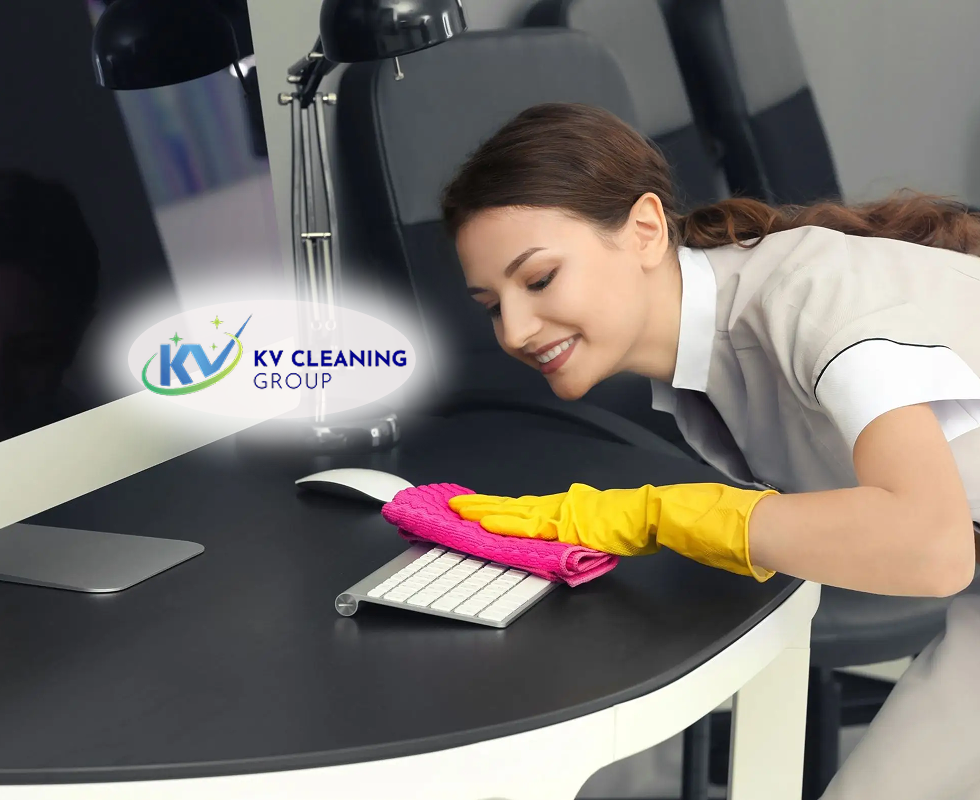
Around computer monitors: Check the stand, base, rear casing and desk surface beneath the screen. Use a method approved for the monitor's finish and avoid spraying liquid onto the device.
Around keyboards and desk phones: Dust can settle between keys and around buttons. These items need careful cleaning because liquids and loose particles can enter openings.
Around printers and photocopiers: Check the surrounding shelf, paper-storage area and external vents. Follow the equipment manual for any cleaning near openings or internal components.
Around docking stations and cable hubs: Look for dust along cable channels, under stands and behind the desk. Do not pull, twist or disconnect cables just to reach a dusty space unless it is safe and necessary.
Around air vents and window-side workstations: Check for visible dust accumulation and note whether the same location becomes dusty repeatedly. Ventilation equipment should be maintained according to the building's maintenance plan rather than dismantled as part of routine desk cleaning.
How to Remove Dust Without Damaging Office Equipment
Office equipment needs a different approach from an ordinary desk or shelf. The aim is to lift dust without introducing moisture, creating static-related concerns, forcing particles into openings or damaging delicate finishes.
Step 1: Check the manufacturer's instructions
Before cleaning a computer, monitor, printer or other electronic device, consult the manufacturer's maintenance guidance. Different surfaces and components may have different restrictions.
If the equipment belongs to a staff member or contains business-critical information, follow the workplace's equipment-handling procedure before moving or disconnecting it.
Step 2: Switch off equipment when appropriate
For more detailed external cleaning, switch off the device and disconnect it only when the manufacturer's instructions and workplace procedures allow it. Do not handle plugs or equipment with wet hands, and never clean inside an energised device.
If equipment is damaged, unusually hot, making an unfamiliar noise or showing signs of electrical trouble, stop and report it rather than continuing to clean it.
Step 3: Use a suitable dust-removal tool
A clean, soft, lint-free cloth is suitable for many external surfaces, provided the manufacturer permits it. A tool designed for electronics may be appropriate for other areas.
Use a gentle technique. Avoid abrasive cloths, rough brushes and excessive pressure that could scratch screens or damage coatings.
Step 4: Keep liquids away from openings
Never spray a cleaning solution directly onto a monitor, keyboard, printer or power connection. If a manufacturer permits a damp cloth or a particular cleaning product, apply it only as instructed and keep moisture away from openings.
Avoid household cleaners that have not been approved for the equipment's materials. A product that works on a desk laminate may leave marks on a screen or damage a protective coating.
Step 5: Treat vents and openings carefully
Do not push cloths, brushes or other objects into vents or equipment openings. Avoid using compressed air unless the manufacturer specifically permits it and provides directions for its safe use.
Blowing dust into the device can move it deeper into the equipment rather than removing it. Internal cleaning and servicing should be left to an appropriately qualified technician when required.
Step 6: Clean the surrounding area afterwards
Once the equipment's exterior has been addressed, remove dust from the desk, nearby shelves and accessible floor area. Otherwise, particles left around the workstation can settle again.
Use a suitable vacuum or surface-cleaning method for the area. Avoid dry sweeping that simply sends settled dust back into the air.
For further workplace electrical safety guidance, consult Safe Work Australia's electrical safety information.
Build a Practical Office Equipment Dusting Schedule
There is no single cleaning frequency that suits every office. A low-use administrative room will have different requirements from a busy printing area, a shared workspace or a building near construction activity.
The schedule below is a practical starting point, not a statutory standard. Adjust it after checking how quickly dust returns, how many people use the area and what the equipment manufacturer recommends.
| Area or task | Suggested starting frequency | What to check |
|---|---|---|
| Visible desk surfaces and monitor stands | Daily or on scheduled office-cleaning days | Loose dust, fingerprints and nearby debris |
| Shared keyboards, phones and touchpoints | According to use and workplace hygiene procedures | Surface cleanliness and manufacturer-approved cleaning |
| Printer and photocopier exteriors | Weekly, or more often in busy print areas | External dust, paper debris and surrounding shelves |
| Cable channels and equipment stands | Weekly | Dust trapped in accessible gaps |
| Under desks and behind movable furniture | Weekly or fortnightly, depending on use | Settled dust and inaccessible areas |
| Vents and other building ventilation components | According to the facilities maintenance plan | Visible build-up, obstruction and maintenance needs |
| Detailed inspection of neglected equipment zones | Monthly as an initial planning interval | Recurring dust sources and tasks missed by routine cleaning |
These intervals should be reviewed rather than followed blindly. A printer used throughout the day may need more frequent external attention than one used occasionally. A dusty office undergoing renovation may require a separate, properly controlled cleaning plan.
How to Stop Dust From Returning So Quickly
Removing dust is only part of the task. If the same workstation becomes dusty again within a short period, the surrounding conditions may need attention.
Keep the surrounding floor clean
Dust on the floor can be disturbed by walking, chair movement and equipment trolleys. Vacuum carpeted areas using suitable equipment and clean hard floors using an appropriate method.
Pay attention to the space under desks and around printer stands, where loose paper and other debris can collect.
For carpeted work areas, see KV Cleaning Group's carpet cleaning services in Sydney.
Avoid clutter around equipment
Stacks of paper, unused stationery and spare cables make it harder to clean the surfaces beneath them. Keep only the items needed for daily work in the immediate equipment area, and store spare supplies in suitable cabinets.
A less cluttered workstation gives cleaners better access and reduces the number of places where dust can remain undisturbed.
Review ventilation and nearby dust sources
If one workstation repeatedly collects more dust than others, inspect the surrounding area for possible causes. These may include a nearby entrance, dusty storage shelves, renovation activity or visible build-up around a ventilation outlet.
Do not open ventilation systems or attempt technical maintenance without authorisation. Report recurring issues to the facilities manager or the person responsible for building maintenance.
Use the right cleaning method for each surface
A single cloth and one general-purpose cleaner should not automatically be used on every item. Screens, keyboards, painted cabinets, glass surfaces and desk laminates may require different products or techniques.
Keeping equipment-cleaning instructions accessible can help staff and cleaners avoid inconsistent methods.
Coordinate cleaning around office activity
Cleaning is easier when the team can access the workstation safely. Where practical, schedule detailed dusting outside busy working periods and agree on how equipment will be handled.
For larger offices with several work areas, a defined cleaning scope can help ensure that printers, cable channels, storage shelves and other less-visible locations are not repeatedly missed.
Signs That Routine Dusting Is Not Enough
Some situations call for a closer look rather than simply increasing the frequency of surface wiping.
- Dust returns unusually quickly: Investigate nearby sources and airflow patterns.
- Dust is visible inside equipment: Follow the device manufacturer's instructions and arrange qualified servicing where necessary.
- Dust is associated with renovation or building work: Stop ordinary surface cleaning if the material may be hazardous, and have the source assessed before disturbing it.
- Employees report persistent discomfort: Do not assume dust is the only cause. Building ventilation, moisture, cleaning products and other indoor environmental factors may also need investigation.
- Equipment shows signs of damage or overheating: Stop using affected equipment when it may be unsafe and report it for appropriate inspection.
Ordinary office dust should not be confused with potentially hazardous construction or industrial dust. If the material could contain asbestos, silica or another hazardous substance, do not dry-brush, blow or vacuum it with ordinary equipment. Follow the applicable workplace safety procedure and seek competent advice.
When Can Professional Office Cleaning Help?
A professional cleaning programme can help businesses manage recurring dust across workstations, meeting rooms, printing areas and shared spaces. It can be particularly useful when a team has limited time to clean neglected areas or when several office zones need a consistent schedule.
Before arranging a service, identify the areas that need attention. For example, you might need regular cleaning of accessible desk surfaces and floors, periodic dusting of external equipment surfaces, or a separate plan for neglected storage areas.
Also clarify which tasks require specialist handling. Routine cleaners should not be expected to dismantle computers, open printers, clean internal electrical components or perform maintenance on ventilation equipment without the necessary competence and authorisation.
Explore office cleaning services in Sydney and commercial cleaning services in Sydney to understand the types of workplace cleaning support available from KV Cleaning Group.
For offices with multiple work areas or recurring maintenance requirements, facility cleaning services may also be relevant. The appropriate scope depends on the building, its operating hours and the work required.
A Simple Checklist for Office Managers
Use this checklist during a routine workstation inspection:
- Check monitor stands, desk edges and accessible surfaces for visible dust.
- Inspect printer exteriors and the surrounding paper-storage area.
- Confirm that equipment is cleaned according to manufacturer instructions.
- Check cable channels and accessible spaces beneath desks.
- Make sure suitable cleaning tools are available for electronic equipment.
- Review whether dust is returning quickly in particular areas.
- Record maintenance concerns involving ventilation or equipment openings.
- Adjust the cleaning schedule based on actual conditions and office use.
The purpose of this checklist is to make dust control consistent. It is not a substitute for equipment maintenance, hazardous-dust procedures or a technical inspection.
Final Thoughts
Dust around office equipment is a recurring maintenance issue, but it can be managed more effectively by focusing on the places where particles collect and using the right cleaning method for each surface.
Start with visible dust on accessible exterior surfaces, work carefully around electronic devices, and include nearby desks, shelves and floors in the same routine. If dust repeatedly returns, investigate possible sources instead of simply wiping the equipment more often.
A practical schedule, clear equipment-handling instructions and regular inspections can help keep workstations presentable while reducing the risk of accidental damage. For businesses that need support across multiple office areas, KV Cleaning Group provides commercial cleaning services across Sydney, with the scope to be discussed according to the property's needs.