loader image
Computer Monitor Cleaning Sydney

Why You Should Clean Your Computer Monitor Regularly (and How to Do It Right)

  1. Introduction: The Overlooked Screen in Every Workspace

Whether at home or in the office, your computer monitor is one of the most-used — and most-neglected — items on your desk.
From fingerprints and dust to airborne particles and bacteria, screens collect dirt every single day requires a good computer monitor cleaning.

Over time, this buildup doesn’t just affect visibility — it can cause eye strain, poor image clarity, and even damage to screen coatings.

At KV Cleaning Sydney, we believe digital hygiene is just as important as surface hygiene.
A clean monitor enhances your productivity, preserves your device, and contributes to a healthier workspace.

  1. Why Cleaning Your Monitor Regularly Matters

Your monitor is constantly exposed to dust, static, and touch.
Even small amounts of buildup can reduce brightness and clarity, affecting your visual comfort and concentration.

Here’s why regular screen cleaning is essential:

Prevents Eye Strain: A clear, streak-free screen reduces glare and enhances visibility.
Extends Monitor Lifespan: Removes dust and debris that can affect screen coatings and vents.
Improves Productivity: A cleaner workspace keeps you focused and motivated.
Promotes Hygiene: Reduces bacteria and fingerprints, especially in shared workspaces.
Protects Hardware: Prevents dust from entering monitor vents and damaging components.

Regular maintenance is a simple yet powerful way to protect both your vision and your investment.


  1. How Often Should You Clean Your Computer Monitor?

Environment

Recommended Cleaning Frequency

Notes

Home Office

Every 1–2 weeks

Prevents dust and smudges from accumulating

Corporate Offices

Weekly

Ideal for shared or open-plan setups

Industrial or Retail Spaces

Twice weekly

Extra protection from airborne particles

Shared Workstations or Labs

Daily

Prevents cross-contamination and screen damage

At KV Cleaning Sydney, we recommend incorporating monitor cleaning into your overall office hygiene routine for consistent clarity and cleanliness.

  1. Step-by-Step: How to Clean Your Computer Monitor Safely

Cleaning your monitor requires care — using the wrong materials or chemicals can lead to scratches or permanent screen damage.
Follow KV Cleaning’s safe and effective 5-step method:

Step 1: Power Down and Unplug

Always turn off and unplug your monitor before cleaning. This prevents static and makes dirt easier to see.

Step 2: Wipe Dust Gently

Use a soft microfiber cloth to remove dust. Avoid rough fabrics or paper towels — they can scratch the screen surface.

Step 3: Use Screen-Safe Cleaner

Dampen the cloth slightly with distilled water or a 50/50 mix of water and isopropyl alcohol.
Wipe in gentle circular motions — never spray liquid directly onto the screen.

Step 4: Clean Corners and Edges

Use cotton swabs or a soft brush to clean the frame edges and corners where dust tends to settle.

Step 5: Dry and Polish

Use a dry microfiber cloth to remove streaks and give your screen a crystal-clear finish.
Allow it to air dry completely before turning it back on.

 Pro Tip from KV Cleaning Sydney: Keep a dedicated screen cloth at your desk — it prevents buildup and extends your monitor’s clarity.

  1. Common Mistakes to Avoid When Cleaning Monitors

 Avoid Harsh Chemicals: Glass cleaners, ammonia, or bleach can ruin anti-glare coatings.
 Never Use Excess Liquid: It can seep into the edges or ports, damaging internal components.
 Don’t Press Too Hard: Excess pressure can distort pixels or cause screen cracks.
 Skip Paper Towels: They leave lint and micro-scratches behind.

By using gentle, tech-safe cleaning methods, you’ll keep your monitor spotless without risking damage.

  1. The Hygiene Benefits of Clean Screens

Cleaning your monitor isn’t just about better visibility — it’s a step toward a healthier workspace.

 Reduces Germs and Allergens: Limits the transfer of bacteria and dust particles.
 Improves Device Longevity: Prevents overheating by keeping vents clear. Enhances Visual Comfort: Cleaner displays reduce glare and eye fatigue.
 Boosts Professional Image: Clean screens reflect a tidy, organized workspace.

At KV Cleaning Sydney, we believe that clean screens lead to clearer minds and healthier offices.

  1. Professional Office Equipment Cleaning by KV Cleaning Sydney

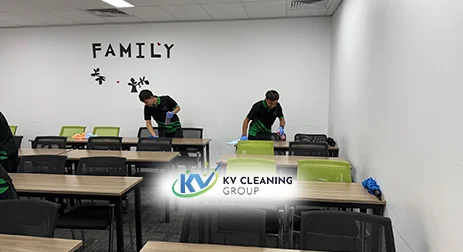
For businesses and shared offices, regular cleaning of digital equipment is crucial.
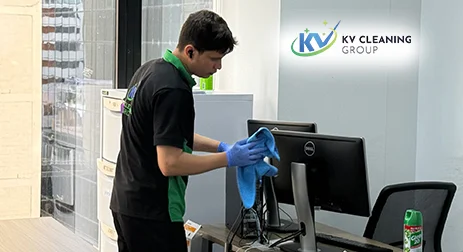
KV Cleaning Sydney offers specialized IT and workstation cleaning services designed to maintain hygiene and performance, including:

✅ Computer monitors, keyboards, and desktops
✅ Workstation disinfection and dust removal
✅ Eco-friendly, non-abrasive cleaning products
✅ Flexible scheduling for minimal disruption
✅ Experienced, certified cleaning professionals

We ensure your technology stays clean, safe, and in top condition — without voiding warranties or damaging equipment.

  1. Our Commitment to Eco-Friendly Cleaning

At KV Cleaning Sydney, we prioritize sustainability.
Our cleaning solutions are non-toxic, biodegradable, and electronics-safe, minimizing environmental impact while delivering maximum cleanliness.

All our processes comply with Safe Work NSW and EPA standards, ensuring safe and responsible hygiene practices across Sydney workplaces.

  1. Final Takeaway

A spotless computer monitor not only looks better — it helps you work better.
Regular cleaning enhances clarity, reduces eye strain, and extends your device’s life, making it an essential part of every smart workspace.

 KV Cleaning Sydney — Elevating Hygiene and Clarity, One Screen at a Time.
Visit our website to explore professional cleaning solutions for offices, workstations, and commercial environments across Sydney.

Say Goodbye To Your Cleaning Worries

Congratulations! You’ve Won Special 30% Offer on Childcare Cleaning!

Fill out the form below and get an extra off Today – Hurry, Don’t miss out!

Sydney’s #1 Restaurant Cleaning – Now at a 30% Discount on Your First Book!